Custom short link suffix
Custom Suffix is available for customers with TrueLink Core Starter, Core Standard, and Enterprise plans. Reach out to sales@adjust.com to upgrade now.
TrueLink short links include a suffix (sometimes called a short token) at the end of the short link URL.
A custom short link suffix lets you define a human readable suffix (for example, a campaign name or in-app destination) to provide more context to end users.
- Improves link clarity by using human readable suffixes instead of random strings
- Increases end user context (for example, campaign name, deep link path, influencer name)
- Supports path-based suffixes with multi-segment URLs for specific content destinations
- Works in the Adjust Suite UI and API for creating and shortening links
What does it do?
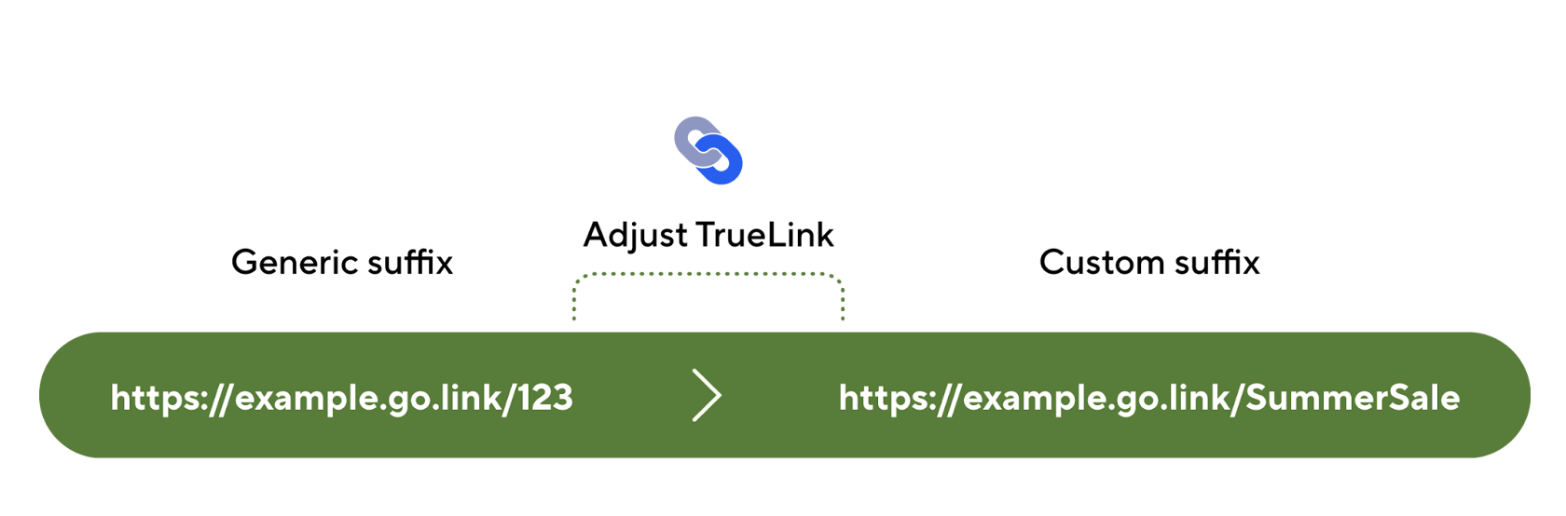
A custom short link suffix lets you replace the randomly generated suffix on a TrueLink short link with a suffix you define. This helps end users understand where a link leads before they open it.
Common use cases for a custom short link suffix include:
- Campaign naming (for example,
https://brand.go.link/Summer_Promotion) - Influencer attribution (for example,
https://brand.go.link/MrBeast) - In-app content deep links (for example,
https://brand.go.link/Air-Max-90) - Referral codes and identifiers (for example,
https://brand.go.link/referralCode-UserName123) - Coupons or vouchers (for example,
https://brand.go.link/WELCOME75OFF) - Multi-segment path structures (for example,
https://brand.go.link/electronics/smartphones/apple)
Custom short link suffixes are available when creating a new short link and when shortening an existing long link.
Limitations
- A custom short link suffix cannot be modified after it is set. To use a different suffix, create a new short link.
- A custom short link suffix does not support query parameters (for example,
/suffix?param1=1).
How does it work?
When creating a TrueLink short link, Adjust assigns a suffix to the short link URL:
- If a custom short link suffix is provided, Adjust uses that value as the suffix.
- If no custom short link suffix is provided, Adjust generates a random alphanumeric suffix. For example,
https://example.go.link/abc123
You can set a custom short link suffix in:
- Adjust Suite dashboard for short links created in Custom Links and Deep Links
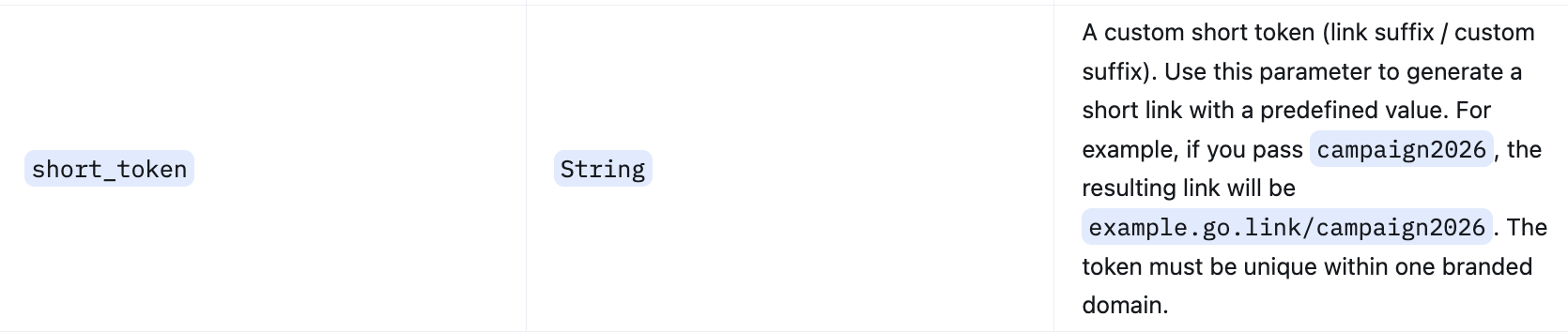
- Deep Link Generator API by passing the
short_tokenparameter in the request payload
Get started
Requirements
- Configure a Branded domain before creating short links
- Only available for TrueLink Core or Enterprise packages.
- Contact your Adjust representative or email sales@adjust.com if you wish to get access.
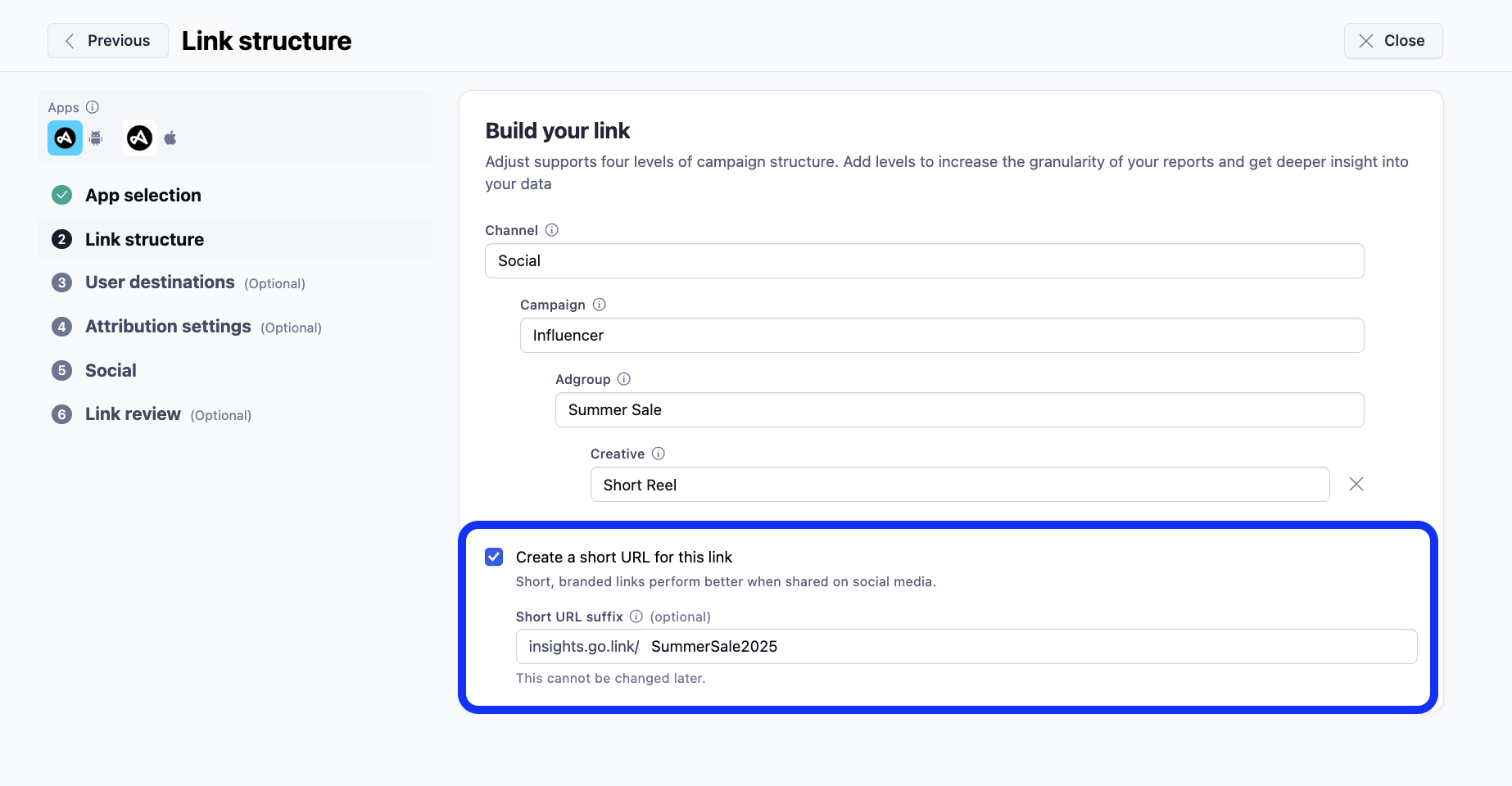
1. Set a custom short link suffix in the Adjust Suite UI
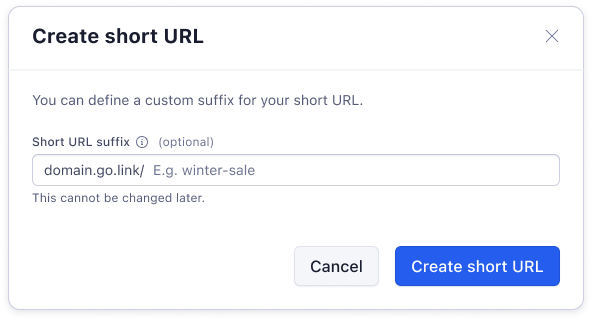
- Ensure the
Create a Short URLcheckbox is checked - In the Short URL suffix field, enter the custom suffix you desire for the short link
- If this field is left empty, a random alphanumeric suffix will be auto-generated
2. Set a custom short link suffix using the Deep Link Generator API
Use the short_token parameter in the Deep Link Generator API payload to set a custom short link suffix.
Validation rules for custom short link suffixes
A custom short link suffix must follow these validation rules:
- The custom short link suffix is unique within a branded domain. You cannot create two short links with the same suffix on the same branded domain.
- Minimum length is 3 characters. Maximum length is 128 characters.
- Allowed characters:
- Alphanumeric characters:
0-9,a-z,A-Z - Hyphens:
- - Underscores:
_ - Dots:
. - Forward slashes:
/(for path segments)
- Alphanumeric characters:
- Allowed formats:
- Single path (for example,
/one) - Multi-segment path (for example,
/one/2/three) - Path segments cannot be a single character (for example,
/a/is not allowed).
- Single path (for example,
- Query parameters are not allowed (for example,
/suffix?param1=1). - Unsupported characters include:
- Non-alphanumeric characters outside the allowed set
- Spaces
- Special characters such as `; * ! @ # ? $ ^ : & ~ \ = + ' > < ``
- Slashes:
- Two consecutive slashes are not allowed (for example,
//). - A slash at the beginning is not allowed.
- A slash at the end is not allowed.
- Two consecutive slashes are not allowed (for example,
If migrating short links from another provider, use the same suffix values to keep existing link structures consistent (for example, if an existing link is brand.app.link/Suffix, set the TrueLink short link to brand.go.link/Suffix).